


Headshot AI Pro: Perfect Photo
4.7958.00 Reviews
App Specs
- Version
- 1.0.35
- Updated On
- License
- Free
- Downloads
- 100,000+
- Developer
- MXY VENTURES PRIVATE LIMITED
- Categories
- Photography
- Platform
- Android
Screenshots
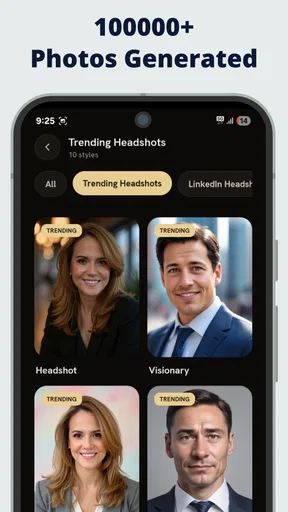
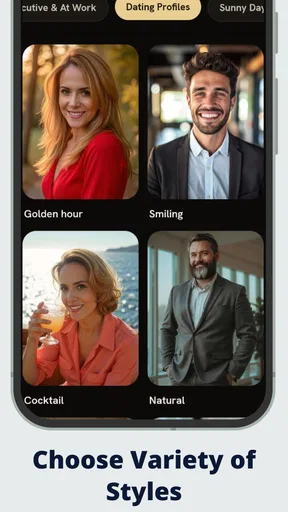
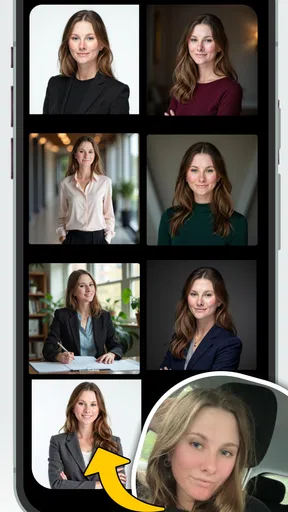

 Analysis by AppCompare
On a shared household phone, a portrait app can quickly become everyone’s project: one person wants a polished profile picture, another is trying a new look, and someone else just wants to fix a photo before sending it. Headshot AI Pro: Perfect Photo is aimed at that portrait-focused sort of editing, with AI tools that can retouch faces and alter backgrounds. I’d treat it as a handy creative tool for individual edits, rather than a shared family album or a replacement for a general-purpose photo library.
One phone, several different portrait jobs
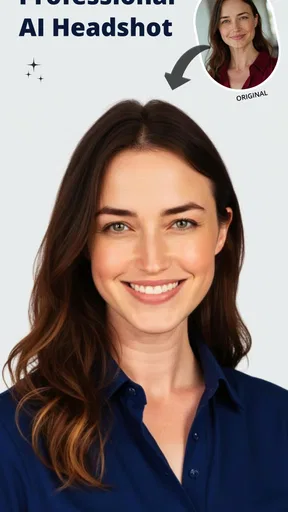
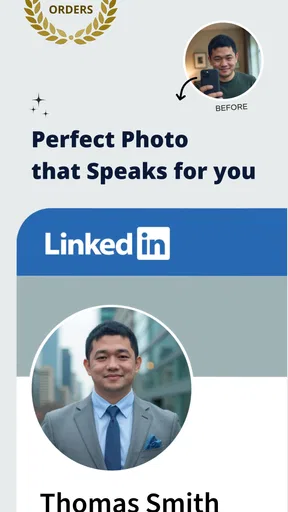
A realistic use for it is getting a presentable headshot from a photo you already have. Imagine you need a profile image before the end of the day, but the only recent picture was taken at home with a distracting room behind you. You can try softening the background, make a restrained face adjustment, and compare the result with the original before deciding whether it feels appropriate. That is more practical than arranging a new photo session for every small update.
In a shared-device setting, the main benefit is convenience: people can take turns working on a portrait without needing a separate desktop editor. The trade-off is that a shared phone does not make each person’s images private or organize them into separate household spaces. I would have each person choose their own photo and review the finished version before it is saved or shared, rather than treating one person’s editing choices as the household default.
Choose the photo before choosing the effect
The starting image matters more than a dramatic filter. For a useful headshot, I’d pick a clear, front-facing photo with even light and enough space around the head. A heavily shadowed face or a busy outline can make retouching and background separation look less convincing. Trying a second source photo is often a better fix than piling on stronger effects.
My rule of thumb is to make one kind of change at a time. First see whether the background needs attention; then decide whether a small face adjustment helps. This makes it easier to catch an edit that has gone too far, and it reduces the chance that a polished portrait stops looking like the person in it. I would keep an untouched copy of an image if the original matters, especially before using an edited version for work or an important profile.
Keep household editing and account boundaries clear
Before letting someone else use a shared phone, I’d make the boundary simple: the person editing should choose the image, approve the result, and handle any sharing themselves. That is a sensible habit for portraits because they are personal, even when the picture seems casual. It also avoids confusion over whose edited copy is being kept or sent.
If several people want to use the app, agree on a basic handoff: finish one person’s edit, check where the result is going, and then pass the device along. I would not assume that a photo editor provides separate household profiles or private workspaces. For sensitive pictures, use a device and account arrangement you already trust, and avoid leaving someone else’s portrait open on a screen when the phone changes hands.
Worth Reading Before You Choose

Flipboard Shows What News Apps Must Do Beyond the Feed

Switching to Android Auto Means Rethinking Your Driving Routine

Google Calendar Makes a Crowded Week Easier to Manage

Ludo King Makes the Most of the Minutes Between Plans

Baby Panda World Brings Quick Play to Modern Phones, but Its Game Library Feels Busy

ESPN’s Live Game View Makes Following Close Games Easier
A portrait editor for quick, considered results
I find this kind of portrait editor most useful when I decide what the picture needs before I start changing it. In the next section, I’ll look at how the choice of source photo and a restrained editing sequence can make the difference between a natural-looking headshot and an overworked one.
First Impressions
When I first downloaded Headshot AI Pro: Perfect Photo, I was a bit skeptical. I mean, how many photo editing apps can one phone handle, right? But right off the bat, the sleek and intuitive interface caught my eye. It's super user-friendly, even if you’re not a tech whiz. The app guides you through its features with easy-to-follow instructions, which is a huge plus for those of us who’d rather skip the manual.
Features That Stand Out
The real magic lies in its powerful AI-driven editing tools. You’ve got everything from basic tweaks like brightness and contrast adjustments to more advanced features like blemish removal and background blurring. One of my favorite tools is the AI face retouching. It subtly enhances your facial features without making you look like a totally different person. It’s like having a digital makeup artist at your fingertips.
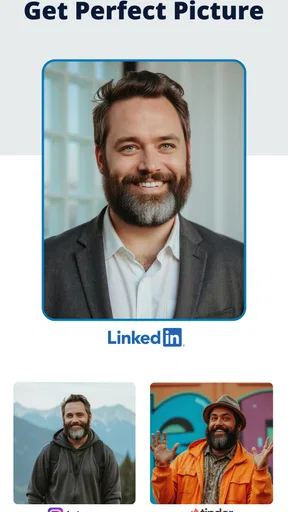
Another cool feature is the background changer. Ever wanted to look like you’re chilling on a beach when you’re really just sitting in your messy room? Well, now you can! The app’s AI does a pretty impressive job at detecting and masking backgrounds, giving your photos a professional touch.
Editing Like a Pro
Let’s talk about how easy it is to use. The app offers real-time editing, so you can see changes as you make them. This is a game-changer for those of us who need a little trial and error to get things just right. Plus, the undo button’s always there for those "oops" moments.
What’s more, the app supports high-resolution exports. This means your edited photos retain their quality, which is perfect for printing or sharing on social media. No pixelated mess here!
For a more believable result, I’d use the live preview to check the face and background separately rather than judging only the overall image. A smooth background can make an image feel more polished, but it can also draw attention to an awkward edge around hair or shoulders. Zooming in before exporting is a useful final check, particularly when the portrait will be cropped tightly for a profile image.
Exploring the Extras
Beyond the basics, Headshot AI Pro: Perfect Photo offers a variety of filters and effects to give your pics that extra oomph. From vintage vibes to modern chic, there’s something for every style. I personally love the vibrant filter—it adds just the right amount of color pop without going overboard.
If you’re into creating stunning visuals, the collage and grid layouts are worth checking out. They let you combine multiple images into one frame, perfect for Instagram stories or Facebook albums.
Those extras make the app more flexible than a tool devoted only to face retouching, but I would still use them with a clear purpose. A collage can help compare a few portraits or bring related pictures together; it is less useful when the goal is a clean, formal headshot. For a work profile, I’d start with the least stylized version and keep filters subtle. For a casual post, a more noticeable effect may be fun, as long as the edit still looks like the person who will be represented by it.
How it fits beside other photo editors
Compared with a general photo editor, this app puts more emphasis on portrait changes and AI-assisted background work. That focus is useful when the main task is improving a face-centered image without learning a complicated desktop workflow. A standard editor may be the better choice when you need precise control over layers, color grading, or a detailed landscape adjustment. If all you want is to crop a picture or adjust its brightness, the editing tools already on your phone may be quicker.
I’d also separate “good enough for a profile” from “a replacement for a photographer.” The app can help make an existing image more presentable, but it cannot change the expression, posture, or lighting captured in the original. For a formal portrait where accuracy and consistency matter, a carefully taken photo or a more hands-on editing process is a safer choice than relying on automated retouching alone.
Age, trust, and the person in the picture
The app is rated for Everyone, so its age rating is broad, but I would still guide younger users when they edit or share portraits. A polished image can affect how someone presents themselves online, and children may not always notice when a filter or retouching has changed their appearance. I’d make sure the person pictured is comfortable with the edit and knows where the result is going.
That is a practical household rule for adults too. A portrait intended for a private family chat is not automatically suitable for a public profile, and a background replacement can change the impression a photo gives. I would review the final image in context, not just admire the editing, before sending it onward.
What’s the Catch?
Of course, no app is perfect. While Headshot AI Pro: Perfect Photo is free to download, some advanced features are locked behind a paywall. The premium subscription offers more filters, effects, and higher export quality, but I found the free version quite robust for everyday use.
Also, the app occasionally prompts you to rate it or upgrade to premium, which can be a bit of a buzzkill when you’re in the editing zone. But hey, nothing’s perfect, right?
It is worth deciding what you actually need before paying. If your usual task is a light touch-up and a simple background adjustment, try the free experience first and see whether it covers that routine. If you frequently need the paid tools, compare the available in-app purchase options carefully: purchases range from $4.99 to $59.99 per item. That spread makes it especially sensible to check the purchase terms shown in the app rather than assuming every paid option is the same kind of plan.
For everyday use, I’d also keep expectations grounded around source quality. AI editing can make a portrait look cleaner, but it cannot reliably rescue every blurry, poorly lit, or oddly framed shot. When an edit starts to look artificial, backing off the effect or choosing another original is often better than trying one more enhancement. That small restraint is what keeps a quick portrait edit from becoming an obvious filter job.
Who will get the most from it
I think it suits people who need an occasional headshot, like changing up a social profile, preparing a simple creator portrait, or tidying a family photo before sharing it. It is also a reasonable option for someone who wants to experiment with face retouching and backgrounds without first learning a full editing suite. The app is free to download, runs on Android 6.0 or later, and is developed by MXY VENTURES PRIVATE LIMITED.
It is less suitable if you want detailed manual control, consistent professional retouching across a large batch of images, or a shared place to manage a family’s photos. Someone who dislikes face-altering edits may also prefer a basic crop-and-light adjustment in a conventional editor. I would not choose this app for an image where exact representation is essential unless I could carefully inspect every change and keep the original alongside it.
There is some reassurance in its existing audience: it has a 4.7 average from around 9.8 thousand ratings, with over 100 thousand installs. Those figures suggest that many people have tried it, but they cannot tell me whether a particular portrait will come out naturally. I’d judge that by testing a non-sensitive photo first, especially before making an edit that someone else will rely on.
Final Thoughts
Overall, Headshot AI Pro: Perfect Photo is a fantastic choice for anyone looking to elevate their photo game. Whether you’re a selfie addict or just want to touch up family photos, this app has got you covered. The balance of user-friendliness and powerful features makes it a standout in the crowded world of photo editing apps.
So, if you’re ready to turn your photos from "meh" to "wow," give it a shot. You might just find it to be your new favorite editing tool!
For a household, my verdict is to use it as an occasional portrait workshop, not as a shared archive or a substitute for agreeing on how someone’s image should be used. It makes the most sense when the person in the photo stays in control, edits are checked before export, and the original is kept when accuracy matters. The current version is 1.0.35, and the Everyone rating makes it broadly accessible, though sensible adult guidance still matters when younger family members are editing portraits. If you want quick, approachable portrait changes, it is worth trying; if you need fine-grained control or strict separation between users, I’d choose a different workflow.
Pros
- Enhances photos with AI precision.
- User-friendly interface for easy editing.
- Wide range of filters and effects.
- Fast processing without lag.
- Supports high-resolution image output.
Cons
- Limited free features
- subscription needed.
- Occasional inaccuracies in AI detection.
- No offline mode available.
- High battery usage during extended sessions.
- Some filters require in-app purchases.
FAQs for Headshot AI Pro: Perfect Photo
What is Headshot AI Pro: Perfect Photo used for?
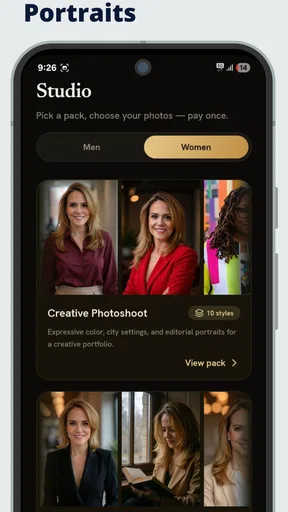
Headshot AI Pro: Perfect Photo is designed to enhance and perfect your portrait photos using advanced AI technology. It offers features like facial retouching, lighting adjustments, and background enhancements to produce professional-quality headshots. Ideal for personal branding, social media profiles, or professional portfolios, it aims to deliver high-quality images with minimal effort.
Is Headshot AI Pro: Perfect Photo easy to use for beginners?
Yes, Headshot AI Pro: Perfect Photo is designed with a user-friendly interface suitable for beginners. The app offers intuitive controls and step-by-step guides to help users navigate through its features. With automated adjustments and one-tap enhancements, users can achieve professional-looking results without needing prior photo editing experience.
Does Headshot AI Pro: Perfect Photo require an internet connection to function?
While basic features of Headshot AI Pro: Perfect Photo can be used offline, some advanced AI-driven features might require an internet connection. This is because certain processes may rely on cloud-based AI technology to perform complex edits and enhancements. Check the app's specifications for details on which features need connectivity.
Are there any subscription costs associated with Headshot AI Pro: Perfect Photo?
Headshot AI Pro: Perfect Photo offers both a free version with limited features and a premium subscription for full access. The subscription provides additional tools, filters, and higher-resolution exports. Pricing varies based on the subscription plan chosen, and users can opt for monthly or annual billing, often with a free trial period available.
How does Headshot AI Pro: Perfect Photo ensure the privacy of user photos?
Headshot AI Pro: Perfect Photo prioritizes user privacy by implementing robust security measures. Photos processed through the app are encrypted, and any data stored in the cloud is protected with industry-standard security protocols. The app also provides clear privacy policies regarding data usage, ensuring user photos are used solely for editing purposes.


